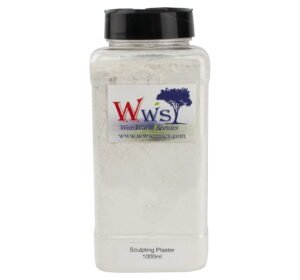
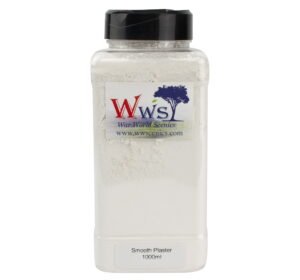
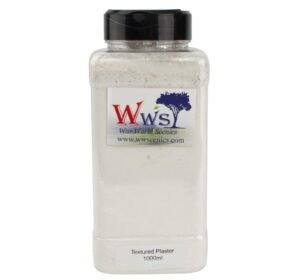
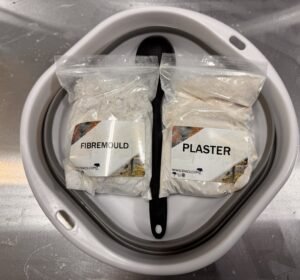
Model plaster/diorama plaster is vital to creating a realistic model railway landscape. Whether your scene is urban or rural, high-quality plaster enables you to create compelling landscape elements that can be painted and dressed in whatever fashion you wish.
Working with modelling plaster is easier than most novices think, but it’s important that you do things in the proper sequence. Follow these steps to help ensure the success of your project:
Gather all necessary materials: That includes the model plaster and baseboard.
Make sure you have the right tools: Don’t start until you have a mixing container, mixing stick, protective gloves and the tools with which you will be applying the plaster.
Mix the plaster: Simply follow the instructions on the package.
Apply and shape the plaster: Pour or otherwise place the wet plaster onto an area of the baseboard where you need to create hills or other terrain features and shapes. Continue applying and shaping until all your landscape features are roughed in.
After that allow the plaster time to dry and then paint and finish to suit the needs of your landscape scene.
If you have questions regarding which model plaster is right for your project, contact the WWScenics team for advice.
If you email us at cu*************@*******cs.com straight away after placing the order, we might be able to change or cancel your order. Once your order has been processed however it is not possible to change or cancel it.
Login into your WWScenics account and go to Orders, then click on View your latest order. At the bottom of the page, you will see Tracking Information with the Provider, Tracking number and Date. Click on the Track button in order to track your order on the provider’s website.
We are sorry that you cannot login into your account. You can click on “Lost your password” in order to rest your password.
Answer...Unfortunately, we do not sell different sized sieve heads for the Micro Applicator. Only the Pro Grand Applicator comes with three different sized sieve heads.
Here are some key things for you to check when applying static grass using our applicator:
Use a powerful brand-new battery (PP3 9V battery).
Do not fill the hopper with too much grass, as the grass needs to have space to move.
Only apply a smear of basing glue on the required area and make sure to apply the basing grass before it dries. Room temperature can affect this.
Do not apply too much basing grass to the area. If you cover the basing glue with too much grass it will not stand but go flat.
Once you have applied the basing grass and cannot see the basing glue anymore, add some layering spray before applying the layering grass.
Make sure the crocodile clip is near the applicator's head when applying the grass. You do not need to put a nail or screw into your model.
Click-and-Collect is not yet available. However, you can still place an order and collect it by contacting us at customerservice@wwscenics.com
Keep an eye out on our Social Media for more information in the near future
We are sorry that this has happened. If you could email us a photo of what you have received our Customer Service Team will help resolve the issue for you.
Sign up to scenery news
Bringing You the latest News from the WWScenics Community: New Releases, Tutorials, Tips & Tricks to improve your modelling, Upcoming Events, Exclusive Offers, and so much more!